

Milestone billing
How to bill a job in stages with MyBuildX invoices today, and what BuildX doesn't support (milestone links, escrow, retainage, draw schedules).
You can bill a job in stages in MyBuildX by creating one invoice per milestone on the Invoices page. General Contractor accounts have Invoices. MyBuildX doesn’t build draw schedules, link invoices to milestones, hold escrow, or track retainage.
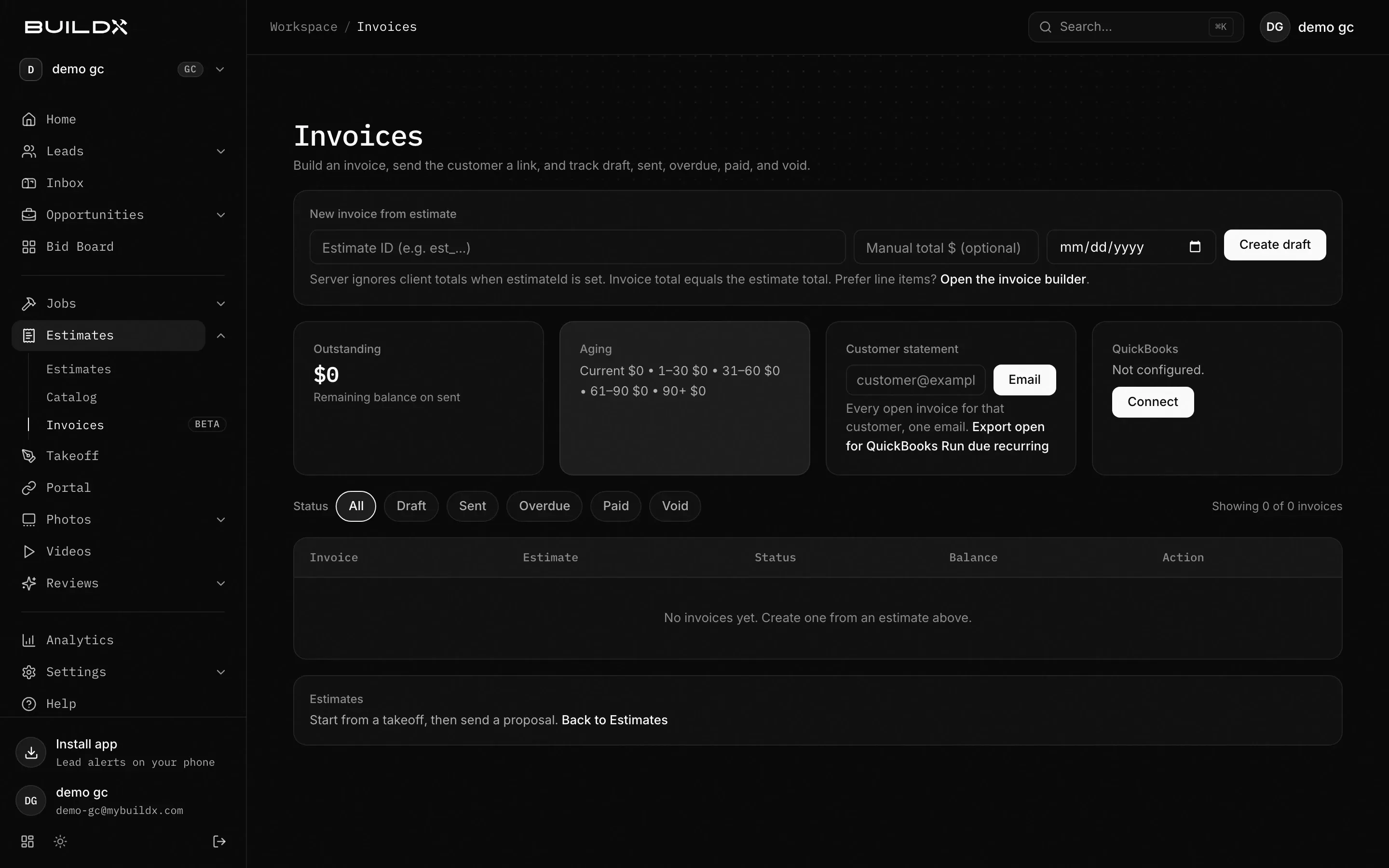
What you can do
- Create a separate invoice for each stage of the job (for example deposit, rough-in, drywall, final).
- Name each stage in the invoice lines so the customer sees what it covers.
- Attach site photos to an invoice as evidence of the work.
- Track what’s still owed with Outstanding, Aging, and Customer statement.
- Record partial payments against an invoice.
Bill a job in stages
- Agree the stages and amounts with your customer before work starts. MyBuildX has no contract or milestone screen, so keep that agreement outside BuildX.
- When a stage is done, open Open the invoice builder (https://mybuildx.com/estimates/invoices/new).
- Enter the customer, a due date, and a line such as “Rough-in complete: plumbing and electrical”, with the stage amount.
- Press Save invoice, then Send it from the Invoices list and share the customer link.
- When the customer pays, press View and Record payment.
- Repeat for the next stage. To start from the last one, press Duplicate and change the lines.
To see everything a customer still owes across stages, use Customer statement: it emails them every open invoice in one message.
Holding back an amount
MyBuildX doesn’t track retainage. If your contract holds back a percentage, leave it off each stage invoice and send a final invoice for the held amount when the job is accepted. Keep your own record of what’s held.
Good to know
- The invoice details have milestone and card-collection controls (Link milestone, Fund, Request release, Collect via card), but they’re turned off for all accounts. You won’t see them.
- There’s no automatic progress billing: nothing generates the next stage invoice for you. Set recurring repeats an invoice on a calendar schedule (weekly, monthly, quarterly), which suits service contracts, not construction stages.
- Lien waivers come per invoice: conditional until paid, unconditional once paid. See Invoices.
- For QuickBooks, use Export open for QuickBooks. See Invoices.